
Press Play. Browse Main, Featured, or Trending, or start a Classic stage at a difficulty you can actually read.
Dashmetry gameplay video
Watch a short clip to see the pace and obstacles before you play.
What's Dashmetry game?
Dashmetry is a rhythm platformer you play in the browser. The icon runs through spikes, gears, and slopes while the track sets the timing. A miss restarts the attempt. Clears pay mana orbs you spend on cosmetics, and the online folders keep adding charts after the official routes are done.
Portals swap the icon between cube hops, ship flight, wave diagonals, and spider crawls in the same song. Each form changes what the button does. That is why a long session does not stay one kind of jump.
Three ways to run
- Classic: structured stages with a named difficulty, a fixed track, and traps locked to the beat.
- Endless: survival. Speed and hazard density climb the longer you last.
- Race: finish ahead of other players. A single hit can drop you out of the lead.
How the browser sorts charts
- Main Levels: the official and exclusive routes.
- Featured: charts picked for sync or trap design.
- Popular and Trending: heavy play, or a fast recent rise. Those lists refresh on daily, weekly, and monthly cycles.
- Recents: stages you just opened.
- Favorites: maps you marked to grind later.
Easy through Demon
Labels run from Easy to Demon. Easy and Normal teach portal timing. Hard and Harder shrink the window. Insane and Demon assume you already know hold-release on a ship and the wave tunnel. A Demon chart on the first day mostly teaches frustration. Clear a Normal map cleanly first.
Editor, music, profiles
Open the editor from the main menu. Name the stage, set difficulty, pick a mode, then place blocks, gears, monsters, slopes, and portals. The music library lets you choose a track, or upload one when you are logged in. BPM tools line the obstacles up with the beat so the jumps feel fair. Test, save, and publish for votes.
A login keeps medals, skins, and progress between devices. The icon kit swaps colors and trails. Mana orbs from clears feed those unlocks. The loop is play, fail, learn the beat, clear, customize, then pick a harder chart.
One button, different forms
- Left click, Spacebar, or the up arrow all fire the action for the current form.
- Hold on ship. Tap for wave. Click for cube hops.
- On a phone, tap or hold where the embed maps the touch.
Pick one desktop key and stay with it. Switching inputs in the middle of a grind costs more than it saves.
Other geometry games here
- Geometry Dash World for a fixed 10-level RobTop set with quests and diamonds.
- Geometry Dash Meltdown for three songs and no editor to manage.
- Egg Dash for a short Easter set and a smaller builder.
- Geometry Games for the full list of six.
How to Play Dashmetry
1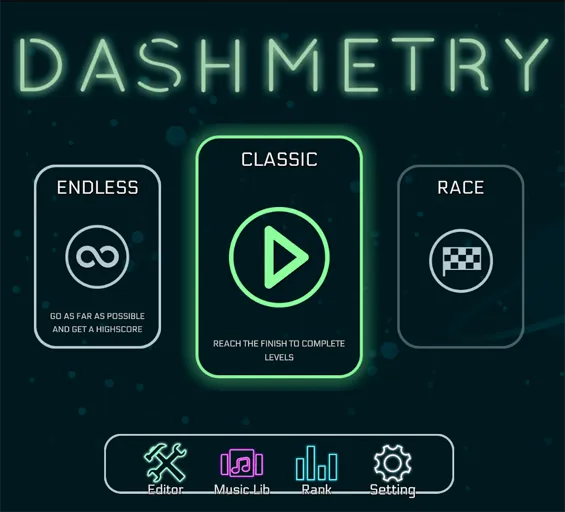
Open a chart or a Classic stage
2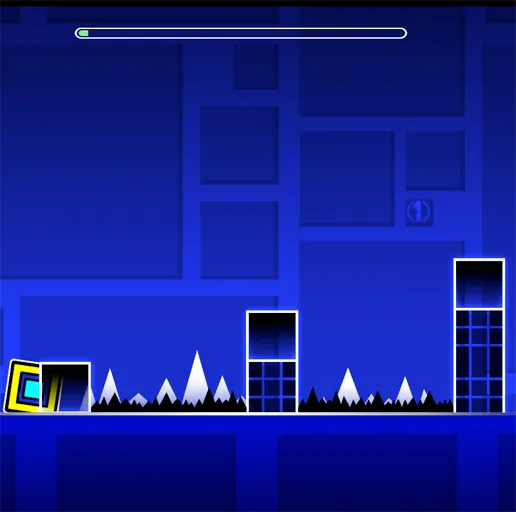
Match the form the portal gives you
Use click, Spacebar, or the up arrow. Cube taps, ship holds, wave angles, and spider crawls all share that button. Stay with the music through the spikes and gears.
3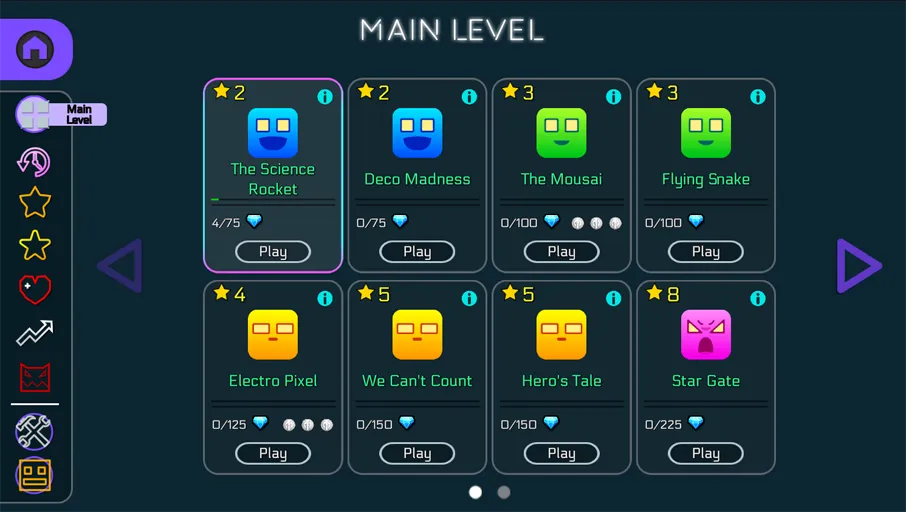
Publish a chart or grind one
The editor places obstacles, assigns music, and lines them up with BPM tools. Publish for votes, or stay on Popular maps and spend mana orbs in the icon kit.
FAQs about Dashmetry
Clears award mana orbs. They feed icon-kit unlocks such as colors, trails, and character flair, plus related browsing perks.
Classic stages, Endless survival, and Race clears. The browser also sorts community maps into Featured, Popular, Trending, Recents, and Favorites.
Yes. Place the entities, pick or upload music, align obstacles with the BPM tools, test, save, and share it for votes.
Meltdown is three fixed RobTop songs. Dashmetry is the chart browser and the editor: Featured and Trending maps, profiles, and a wide difficulty spread.